


Week 2: Stealth Game Prototype
- ef1998
- Oct 3, 2020
- 6 min read
Engine Prototype
I decided that I could go more hands on and start coding an engine prototype in Unity, since I am fairly confident that I can quickly produce them. I decided to start out and create some game objects to represent the player and the enemy and I added whatever components I thought they would need.
Player Movement
The player movement was actually a fairly tricky one to get down. At first, I thought I could get away with non-physics based movement i.e. movement through transforms. I programmed it in and it actually worked pretty well. Unfortunately there was jittering movement at higher speeds, so I decided to scrap some of the code I had done and go for physics based movement instead, which to be honest will probably be better in the long run. I had done physics based movement in my production module last year, although I ran into many issues, so I decided to try different things.
I first replaced the transform movement code with the add force function, although, I immediately ran into an issue where the player's velocity kept increasing. Last year I fixed this by inputting a vector for rigidbody.velocity but this can cause many issues as I found out last year. Instead I decided to create an algorithm that would decrease the amount of force that is added to the rigidbody as the velocity came closer to the set maximum.

I created this algorithm to be completely percentage based. lets say the player is moving 80% of the maximum velocity. This means that the force applied to the rigidbody will only be 20% of the maximum force. If the player is moving at the maximum velocity, then no force is applied, hence a velocity capacity is achieved. The velocity is input from rigidbody.velocity.magnitude. The max velocity and the maximum force inputs are arbitrary variables set by me. having a higher maximum force means a higher acceleration. This algorithm ended up working very nicely for my current purposes.
Enemy Sight Mechanic
To begin with I already knew that I would need to have some form of collider to represent the cone of vision, so I set out about making it. I tried looking around in Unity to see if I could edit meshes similar to Unreal Engines BSP, but unfortunately as far as I'm aware, you can't do that, so I made one in blender.
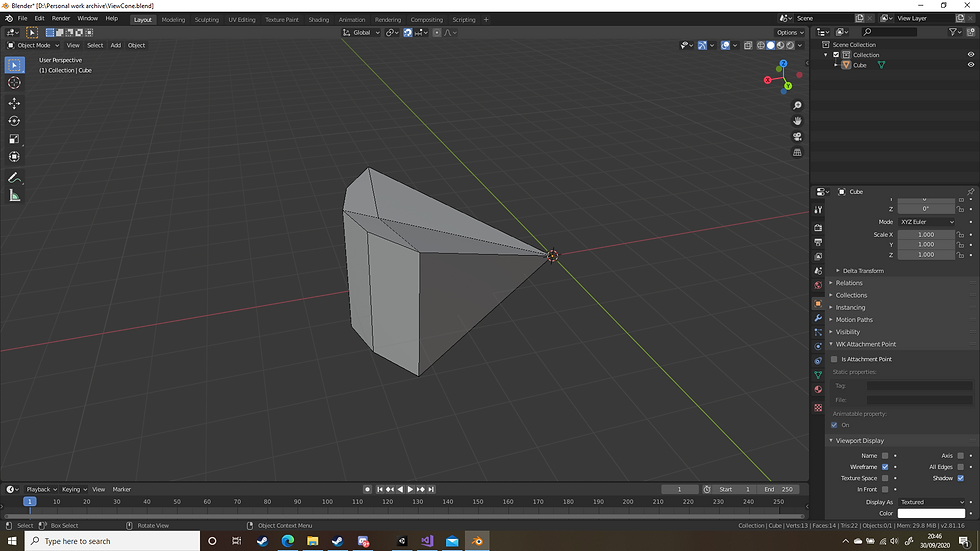
As you can see, I kept everything in quads just to ensure the engine could import it properly. I also ensured the vertex on the end of the cone started at the origin of the scene which keeps that point in the same location as the game object. I added a mesh collider component to the enemy and used the mesh I had created. I then coded in the parts responsible for the first condition in the previous blog.
Next was the raycast condition. Unfortunately while I am aware how the technology works, I was not aware of how to implement it in Unity, so I did some digging around in the documentation. I ended up finding a function that suited my needs. I simply replaced some of the arguments with what I needed to get it working and it worked out perfectly. I even found out I could manually set how far the ray could go.
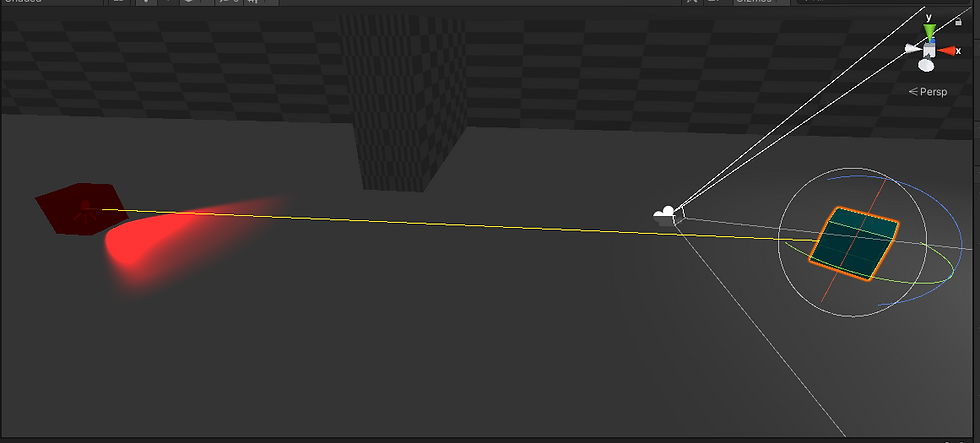

The result was that vision detection was now working. I tested this out using Debug.Log.

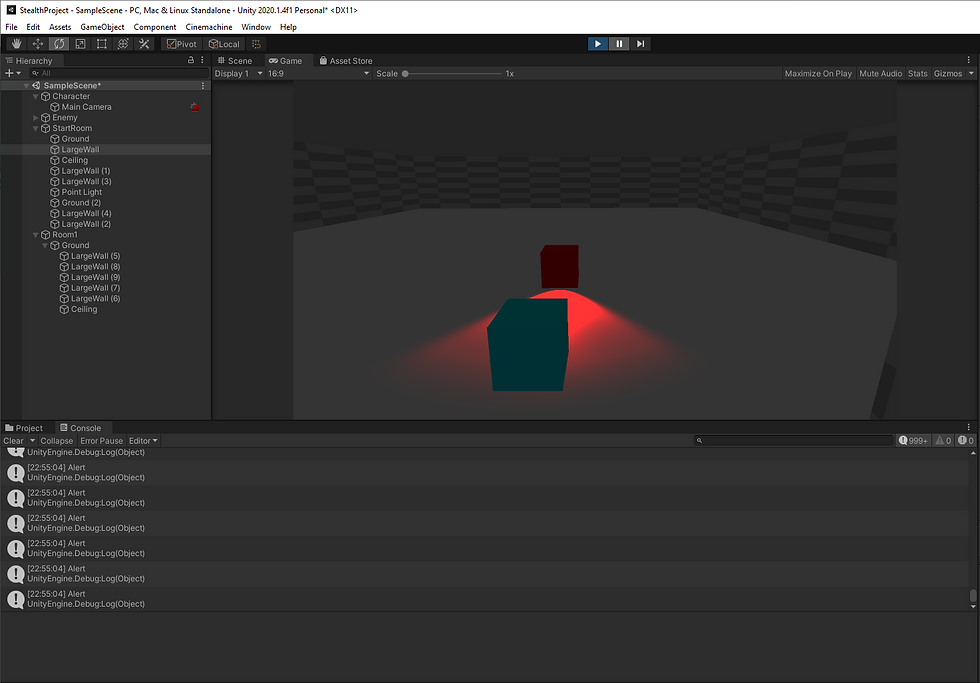


Now that I know that's working, all I have to do is script in some enemy behaviour and I will have completed that feature.
Camera System
I decided to make this a third person game, because I want to give the player the advantage of seeing past corners easily so they can see the enemy. At first I thought I'd use the Cinemachine package for the camera, but for some ungodly reason it was giving me issues which I was pretty mad about, so I decided to scrap using Cinemachine and trust in my own coding abilities and it turned out pretty damn good.
I locked the camera to the player by simply making the camera a child of the player game object, and since I had already programmed in player rotation, I didn't need to worry about rotating the camera around the y axis. All I needed to program was the camera pitch. I wanted the camera to orbit around the player for the pitch so I took a look around the unity documentation and found a nice function called "RotateAround" which allowed me to pick a point in which to rotate the camera (the player) and a specified axis (the local forward vector of the player which happened to be facing right, oh well).
The last thing I needed to do was ensure that the camera wouldn't go through any geometry. I used my newfound skills in raycasting to determine where the camera should be. It simply casts a ray out along a the vector between the player and the camera for a specified length. If it hits nothing, the camera position is set along that specified length. If it hits a collider, then the camera position is set to where the collider was hit.


There are still issues with the camera slightly going through the floor causing it to turn invisible, but I have a general idea of how I can fix them. I want to have a look around and see if I can find a way to get the surface normal of the collider hit by the ray and use that vector to slightly offset the camera away from the surface. This will be something I will do later as I have more important things to do.
Procedural Generation System Beginning
Knowing the technology of games that came before can be extremely useful for planning out systems. I didn't want to do anything overly complex so I created a system that procedurally generates rooms. I modelled the system based off a technology employed in the development of Legacy of Kain: Soul Reaver that loaded in the areas behind and in front of the area the player was in which meant there wasn't any loading screens.
The system is made of various room prefabs. Each of these rooms have doorways associated with them. The idea is that the system randomly generates room prefabs based on what room the player is in and what rooms are compatible with that room. The system essentially takes all the doorways of the room the player is in and for each doorway another room is generated. the doorway of the generated room is then mated to the doorway of the room the player is in by doing whatever transformation and rotation is necessary. When a player enters another room, the rooms behind the player are destroyed so that it wont affect performance later on. To avoid the player from potentially seeing the skybox and rooms being instantiated and destroyed, I will create doors that open and close which is dependant on what room the player is in.
First I made the rooms. At first I thought I could make them out of the cube shape the engine provides but scaling the walls of the cubes to make door shapes was generally annoying because I wanted them to be accurate enough to match up to the next room so I needed some degree of precision. I instead opted to make these shapes in blender and this sped up the process.

The rooms were nothing special, I just made them slightly different from each other varying in doorways so I could get the most basic parts of the system working. Each room prefab also has a bunch of empty GameObjects in them that are placed at the doorways. Each of these GameObjects are also rotated with the Z axis facing away from the doorway. This enables me to acquire what rotation I will need to apply to the room. I managed to generate 1 random room from the starting room, and it works out perfectly. I just need to work on the system to get more rooms in and to delete the rooms that wont be accessed.
Build Video
Next steps
Next week I'm going to focus more on the actual design aspect of the mechanic as I feel that I've been neglecting documentation. I'll focus more on that which will help determine the scope of the prototype and hopefully we can get back to doing more of this. I want to start prototype testing by week 4 and week 5 at the very latest.


Comments